
Gitzian Display Streaming Hardware
"The display becomes a terminal. The computing happens elsewhere."
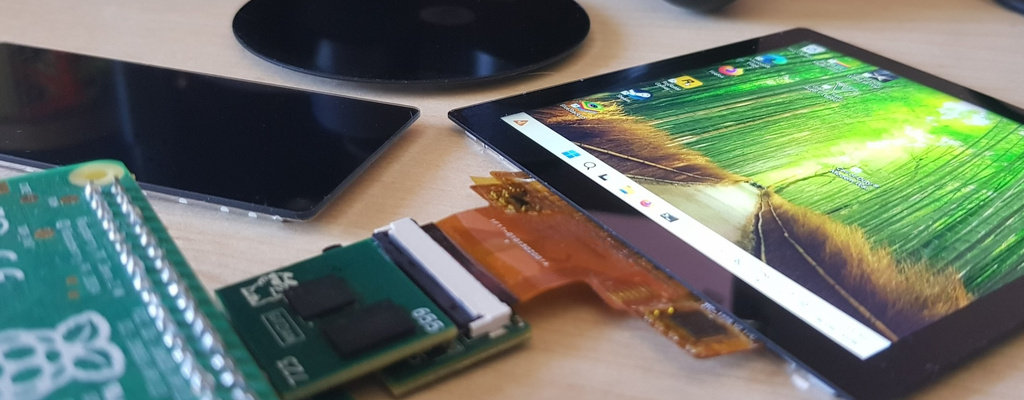
Gitzian streams desktop output to supported small displays.
Choose a Display Streaming Kit with display, or a Decoder Kit for Supported Displays if you already have a supported panel. Attach it to your Raspberry Pi, install the software, and stream from a Windows PC, KDE Plasma Linux system, or Raspberry Pi.
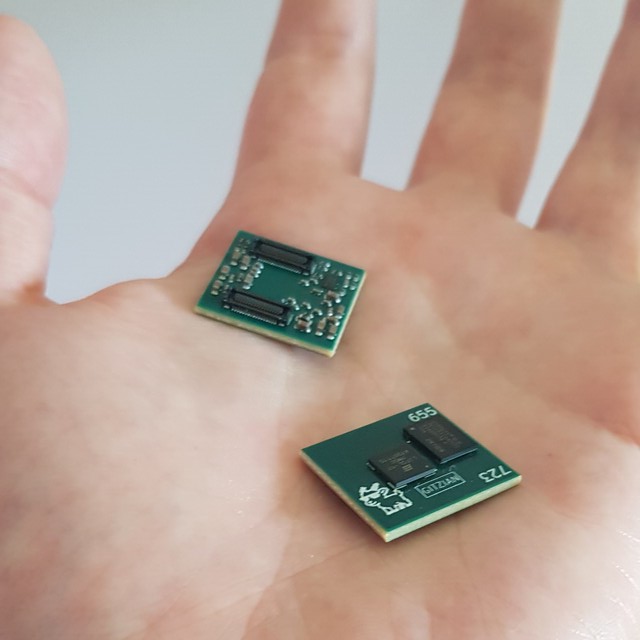
If you want to go deeper, you can build your own hardware around the tiny 21×19 mm Gitzian decoder module. The open source reference designs give you a working starting point instead of starting from zero. For current demos and more details, check the YouTube channel and the most recent videos.
Contents
What is Gitzian? · What makes it special? · Gitzian Decoder / Open Hardware · Prototype History · Get Boards / Get Started
What is Gitzian?
Gitzian is a small-display streaming system: the host machine renders the image, and the client hardware receives the stream and drives the attached screen through the decoder.
With a Display Streaming Kit or Decoder Kit for Supported Displays, you assemble the supported hardware, connect it to a Raspberry Pi, run the client, and send the stream from Windows, Linux / KDE Plasma, or another Raspberry Pi. The result is a network-attached display endpoint, not a standalone computer.
For custom builds, use the decoder, reference boards, and client code as the base for your own carrier board or embedded device. The goal is to give hardware builders a working path to modify instead of forcing every project to begin from a blank schematic. For down-the-rabbit-hole details, don't hesitate: contact me.
Use it
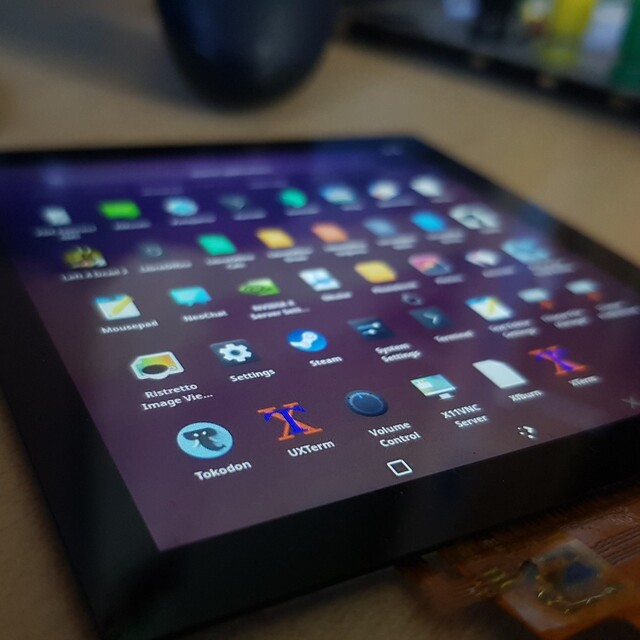
Build the supported setup, install the streamer and Pi client, then run the screen as a compact remote display, dashboard, control surface, communicator panel, or small game output.
Hack it
Take the open hardware files and Python client as a reference, change the carrier hardware, enclosure, controls, or client behavior, and design your own device around the decoder.
What makes it special?
Low-power, low-latency display streaming in a tiny, hackable hardware stack for builders.
Turning small screens into network-capable display endpoints: the main computer renders elsewhere, while the hardware endpoint receives the stream, decodes it, and drives the display.
Optimizing the whole streaming path for this job: bypassing much of the usual desktop and display software stack, keeping the endpoint lightweight, compact, and efficient.
Staying GPU-vendor agnostic: encoding the video stream on common Intel integrated graphics, NVIDIA or AMD GPUs, or even Raspberry Pi 5 video hardware, without being tied to one GPU vendor or one desktop platform.
Built for dashboards, terminals, cyberdeck-style builds, gaming handhelds, lab tools, and custom embedded UIs.
Gitzian Decoder / Open Hardware
The Gitzian decoder is the tiny 21×19 mm core hardware module. The standard Kit setup uses it with a Raspberry Pi HAT on the input side and a display bridge on the output side. Custom hardware is still built around this decoder; the boards around it are the part you can replace, merge, or redesign.
The boards around the decoder are the flexible part. The Raspberry Pi HAT reference design and the display bridge reference design are open source KiCad designs. You can use them as-is, modify one side, or build your own board around the decoder for a different controller or display setup.
| Part | Availability | Purpose |
|---|---|---|
| Gitzian decoder | Required core hardware | The decoder module your setup is built around |
| TDO Raspberry Pi HAT | Open source KiCad reference design | Raspberry Pi input-side board |
| TDO Display Bridge | Open source KiCad reference design | Display-side board for supported display setups |
| Gitzian Python client | Open source Python package | Reference code for Raspberry Pi and custom controller experiments |
Some parts are already fully open source. If there is enough interest, I can make more and more of the project open source. Then we can go fully independent as a community, not bound to one specific vendor, manufacturer, or exact board layout.
I want to keep maintaining the code and adding new features. But even in these AI times, this is still a lot of work. If enough people use it, buy boards, or support the project, I can keep pushing it properly.
A Kit is the easiest way to start. If you want to build your own hardware around the decoder module, use the DIY page and downloads as the deeper entry point.
Prototype History
Gitzian grew out of my frustration with the direction of mobile hardware and my interest in small, low-power, hackable devices. After trying a lot of different ideas, I kept ending up at the same hard part: the display.
That back and forth led to my own streaming approach. The host renders the content, and Gitzian sends it to a small display endpoint without depending on special NVIDIA or AMD features. The goal is to run on ordinary GPUs and CPUs, stay flexible for different panels, and make small custom displays faster to hook up.
Gitzian is hardware for small remote screens, but also a starting point for hackers and builders who want more control over their display hardware.
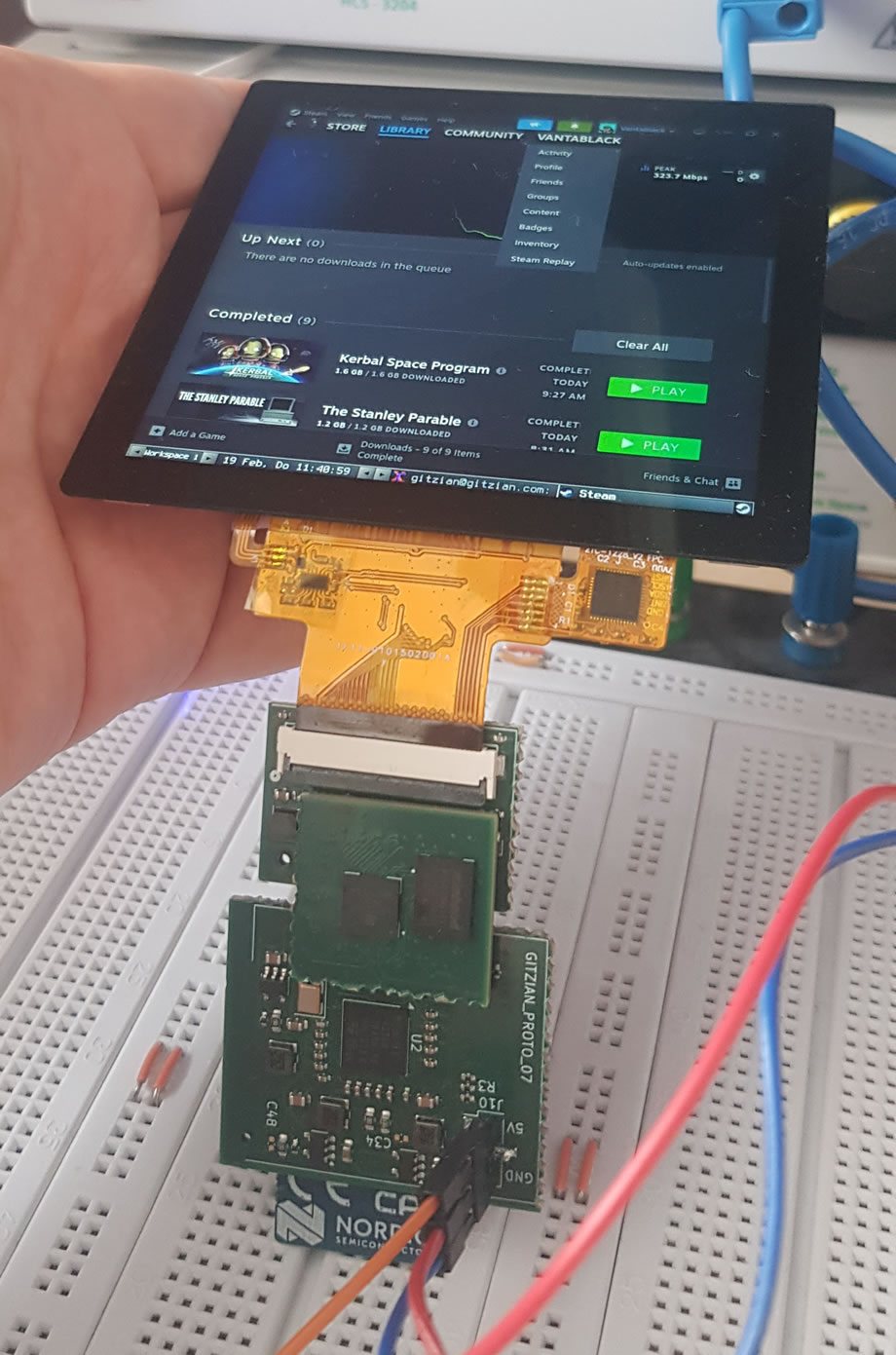
The most recent embedded prototype measured around 1.5 W total system power while actively streaming to a 720×720 display at full brightness. That included the display, an NRF7002 Wi-Fi chip, and an ST microcontroller doing the streaming work.
The current focus is the product around that idea: storefront Kits, better software, more supported displays, and open reference hardware for people who want to build their own version around the decoder.
Get Boards / Get Started
Give me feedback and let me know what you think. This helps me find the best solution for the project.
— Marco